
 M365 Weekly Newsletter
Issue #217
☁️What’s on my mind
You paid for Microsoft Defender for Office 365. You turned it on.
You got breached anyway. Here’s why.
The scariest part?
In the Microsoft Defender for Office 365 (MDO) environments, the problem usually isn’t missing licenses. It’s default security configurations are left untouched.
MDO ships with Preset Security policies that sound comprehensive – Standard and Strict – but they’re a baseline, not a finished product. The tenants getting breached aren’t the ones without MDO. They’re the ones who turned it on and walked away.
1. Most of the tenants have Safe Links exceptions that haven’t been reviewed in 12+ months. Exceptions added during rollout become a permanent attack surface.
✅ Audit your Safe Links “Do not rewrite” list quarterly
✅ Remove every wildcard entry (*.domain.com)
✅ Enable Safe Links for internal email
✅ Turn on real-time URL click protection in Teams
Stale exceptions are one of the most common reasons phishing URLs bypass Microsoft Defender for Office 365.
2. Safe Attachments policies are often left to “Monitor” instead of “Block.” Monitor mode delivers the attachment first and logs the malicious verdict after. That means malware sits in the user’s inbox while the sandbox is still analyzing it.
✅ If Safe Attachments is still in Monitor, move to Block or Dynamic Delivery.
Dynamic Delivery keeps the body available immediately while attachments are scanned. Block is stricter but can delay safe messages during scanning.
3. The average tenant protects only a small number of users under anti-phishing impersonation. MDO lets you protect up to 350 users per anti-phishing policy. Most admins add the CEO and stop.
What you need to do:
✅ Add all C-suite, finance, HR, and legal leaders
✅ Add every subsidiary and key partner domain
✅ Enable mailbox intelligence impersonation protection
✅ Set the action to Quarantine, not Move to Junk
Attackers impersonate the accounts payable clerk wiring the invoice, not the CEO sending a memo.
4. Most organizations do not review Threat Explorer weekly.
✅ MDO generates world-class telemetry, and almost nobody reads it. Threat Explorer shows you every phishing campaign landing in your tenant, every click, every delivery location. Without a weekly cadence, you’re flying blind on trends, missing repeat targets, and leaving your policy tuning stuck in whatever state it was in on day one.
5. Train users to use the built-in Report button in Outlook.
✅ User-reported phishing can trigger Automated Investigation (AIR) automatically
✅ Review AIR findings weekly and feed them into policy
✅ Enable quarantine notifications so users see what was blocked
Every reported message is a free signal.
Most tenants throw them away.
You have any thoughts on this topic?
Drop me a message by simply clicking on the reply button.
Have a nice rest of the week,
Matic
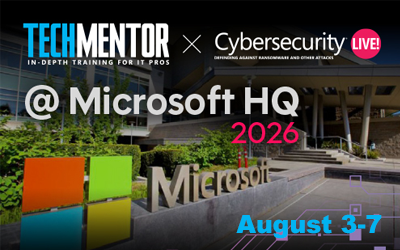
Join us at TechMentor + Cybersecurity Live! Conference at Microsoft HQ in Redmond, WA, August 3–7, 2026. Go deep on PowerShell, Azure, M365, Zero Trust, ransomware defense, and AI for IT and security, taught by Microsoft insiders and industry MVPs. Register with discount code: M365 before June 5 and save up to $700! One registration = access to both events.
☁️Productivity & Modern Workplace
Compare Two Columns in Excel Like a Pro. Learn how to compare two Excel lists to find matches, differences, and unique values using COUNTIF and FILTER formulas. This approach works for any Excel version, with dynamic updates and additional features such as sorting and removing duplicates in modern versions like 365, 2024, or 2021.
Office 2021 Support Ends in October: All Five Options Before the Deadline. Microsoft will stop supporting Office 2021 on October 13, 2026, leaving users vulnerable to security risks as updates cease. Acting ahead ensures safety and compliance.
☁️Copilot & AI
Claude + GPT | Multi-model intelligence in Copilot. Copilot in Microsoft 365 now integrates Anthropic and OpenAI models, simplifying workflows without switching platforms. Co-work automates multi-step tasks, while Researcher uses multi-model intelligence for refined outputs. The model Council enables side-by-side comparisons of responses.
5 Things You Need to Know About Copilot Cowork. Microsoft Copilot Cowork shifts AI from assisting tasks to executing them autonomously. It coordinates workflows across Microsoft 365 apps using Work IQ for contextual intelligence. Features like Critique and Model Council enhance reliability and decision-making.
You’re Using Copilot Backwards (And It’s Costing You Time). Microsoft 365 Copilot thrives when treated as a thinking partner, not a task finisher. Focus on the desired outcome and let Copilot guide the process. Engage it early to make better decisions, ensure consistent communication, and reduce mental load.
☁️Sysadmin Stuff
Microsoft 365 Change Management is Getting an Overhaul. Microsoft is revamping change management for Microsoft 365 with a tiered release model: Frontier for early adopters, Standard for general availability, and Deferred for added validation time. Enhanced Message Center posts improve clarity, while AI tools aim to simplify updates.
I built a free Microsoft 365 Security Training platform for MSPs. Blue Team Labs offers hands-on cybersecurity training tailored to Microsoft 365 environments. It helps MSP technicians build real-world skills through practical challenges based on actual attack scenarios. It’s free and built for all skill levels.
☁️Security & Data Governance
93% deployed Copilot, but 1 in 3 report data exposure. AI tools like Copilot are revealing sensitive data that many organizations didn’t realize was accessible. Even though confidence in governance is high, gaps in permissions, forgotten shares, and partial cleanups are creating risks. You’ll learn how continuous monitoring, full cleanup, and clear ownership can protect data and justify AI investments.
Flex Routing for Microsoft Copilot in EU and EFTA. Microsoft introduces flex routing to ensure Copilot’s performance during peak demand, allowing temporary data processing outside EU boundaries. While customer data remains encrypted, and pseudonymized data is minimal, administrators retain control over settings.
☁️Noteworthy (long)reads
Microsoft Uncovers Hackers Posing as IT Helpdesk Staff. Hackers are impersonating IT staff via Microsoft Teams to trick users into approving remote access, bypassing security protocols. The attack relies on human error, not technical vulnerabilities.
☁️On a Less Serious Note

☁️ We value your feedback!
How much are you enjoying this issue? Please give us your feedback so we can improve.
If you have any suggestions, just reply and leave us your message.
☁️ Last but not least …
Here are a few things you can do if you enjoyed reading this newsletter:
- Become a subscriber: m365 Weekly Newsletter Subscribe
- Explore past issues: m365 Weekly Newsletter Archive.
- Get in touch / Share cool M365 or other stuff: matic@m365weekly.com