
 M365 Weekly Newsletter
Issue #212
☁️Productivity & Modern Workplace
Microsoft 365 Prices Are Increasing in 2026. Microsoft is increasing Microsoft 365 pricing globally starting July 1, 2026, impacting some of the most popular plans, including nonprofit and government tiers. Price hikes range from 5% to 33%, depending on the plan, tied to new features like enhanced AI tools, security upgrades, and advanced management capabilities.
Prevent accidental sends in Teams chat by choosing your ‘Enter’ key behaviour. Microsoft Teams will soon let you customize the Enter key behavior in chat to avoid accidental message sends. Starting February 2026, you can choose whether pressing Enter sends the message or starts a new line. Shift + Enter will always add a new line. This change aims to reduce disruptions and improve your messaging experience.
Slack to Teams Migration Tool in Microsoft 365 Admin Center. Microsoft has introduced a Slack to Teams migration tool, available in the admin center, to streamline the transition from Slack to Teams. It migrates channels, users, messages, files, and formatting while keeping Slack data intact. You’ll need admin permissions and an Azure Blob Storage account for the process.
☁️Copilot & AI
AI-powered image editing is coming to PowerPoint. PowerPoint is introducing AI-powered image editing features, including tools like background removal, resolution upscaling, text editing, and creative effects. Copilot licensed users will access the full suite, while unlicensed users face usage limits. You can edit images directly by selecting Picture Format or right-clicking.
Microsoft Opal (Frontier) – First look. Microsoft’s Opal, part of the Frontier program, introduces a task-focused AI assistant using Windows 365 Cloud PCs. It eliminates setup hassles by activating upon your first prompt. While capable of automating tasks such as online shopping or creating blog posts, challenges like CAPTCHA and password handling persist. Opal shows promise, aiming to refine efficiency for personal workflows.
Copilot Pages vs. Copilot Notebooks. Copilot Pages and Notebooks serve distinct purposes within Microsoft 365. Pages, built on Loop, focus on collaborative document creation, ideal for reports and shared editing. Notebooks act as iterative workspaces, consolidating files and enabling contextual AI interactions for complex projects. Pages are accessible without a license, while Notebooks require one.
☁️Sysadmin Stuff
Secure Your GDAP Access with Just-in-Time Permissions. Switching from standing to just-in-time (JIT) access using Privileged Identity Management (PIM) for Groups in Entra ID can significantly enhance security for MSPs managing customer tenants. By enabling time-bound, MFA-protected access with auditing and approvals, you reduce supply chain risks while maintaining operational efficiency.
Microsoft Tenant-to-Tenant Migration Orchestrator. Microsoft’s new Tenant-to-Tenant Migration Orchestrator simplifies moving mailboxes, OneDrive accounts, and Teams chats between tenants, leveraging PowerShell and Graph APIs. While it keeps data within Microsoft datacenters for faster transfers, limitations like handling sensitivity labels and non-IPM data remain. Licensing costs and pre-migration prep are required, but this tool highlights Microsoft’s growing involvement in tenant migrations alongside third-party solutions.
Unified External Collaboration Settings in Teams Admin Center. Microsoft has introduced Unified External Collaboration Settings in the Teams Admin Center, consolidating external access controls into a single interface. This update simplifies managing federation, guest access, and B2B Direct Connect through predefined modes: Open, Controlled, and Custom.
☁️Security & Data Governance
Protect your Microsoft 365 data in the age of AI: Prohibit labeled info to be used by M365 Copilot. You can now restrict Microsoft 365 Copilot from processing sensitive data using Data Loss Prevention (DLP) policies tied to sensitivity labels. This ensures Copilot can’t access or act on labeled content across apps like Word or Excel.
Key Microsoft 365 Settings to Strengthen Security. Microsoft 365’s 2025 updates prioritize security in an AI-first environment, tackling risks from misconfigurations, collaboration, and AI misuse. Key enhancements include Baseline Security Mode, QR code authentication, Teams’ granular external access, malicious URL protection, and data security analytics. Critical settings like personal account linking in Outlook and auto-archiving in Exchange can be disabled for added control.
Secure Guest User Access in Microsoft 365. A guest account breach at TechC Corp highlighted critical gaps in Microsoft 365 guest access management. Weak external sharing settings, no MFA for guests, and lack of alerts led to a damaging data compromise. By implementing controls like MFA, sensitivity labels, conditional access policies, and regular access reviews, you can secure collaboration and minimize risks without disrupting operations. VIDEO
☁️Noteworthy (long)reads
Shai-Hulud 2.0: Guidance for detecting, investigating, and defending against the supply chain attack. The Shai-Hulud 2.0 supply chain attack exploited npm packages to steal credentials and secrets. Threat actors used malicious scripts to compromise CI/CD pipelines and cloud workloads, leveraging automation for faster impact. Mitigation includes credential rotation, isolating affected resources, and enhancing security with tools like Microsoft Defender for Cloud.
On Hypnagogia, AI, and Letting Ideas Arrive. Hypnagogia – a fleeting state before sleep – fosters creativity by quieting self-criticism and encouraging loose, unexpected connections. Similarly, AI can facilitate this mental space when used as a tool to spark ideas rather than replace human judgment. Both provide raw material, not finished work, reminding you that creativity thrives in engagement, refinement, and the balance between inspiration and effort.
Cybercrime Predictions for 2026: What We’re Seeing from the Frontlines. Cyber threats are evolving rapidly, with attackers leveraging AI for hyper-personalized phishing, deepfakes, and exploiting over-privileged chatbots. AI-driven breaches are increasingly sophisticated and harder to detect. Strengthen security by verifying suspicious requests, implementing multifactor authentication, and auditing enterprise AI models. Focus on protecting data and staying proactive as cybercrime adapts to new tools and technologies.
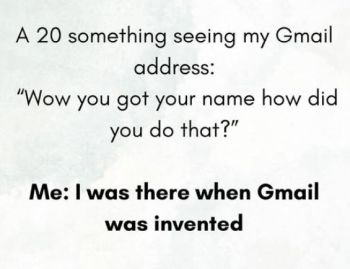
☁️On a Less Serious Note
☁️ We value your feedback!
How much are you enjoying this issue? Please give us your feedback so we can improve.
If you have any suggestions, just reply and leave us your message.
☁️ Last but not least …
Here are a few things you can do if you enjoyed reading this newsletter:
- Become a subscriber: m365 Weekly Newsletter Subscribe
- Explore past issues: m365 Weekly Newsletter Archive.
- Get in touch / Share cool M365 or other stuff: matic@m365weekly.com